%20--%3e%3cpath%20d='M59.1,199.2c1.4,12.4,17,19.5,35.9,19.5s25.9-1.8,37.8-5.5l6.6,35.7c-15.9,6.2-34.7,8.6-52.6,8.6-49.8,0-77.8-28.1-77.8-75.4s24.3-80.1,73.5-80.1,64.7,31.6,64.7,75.4-.9,17.9-1.8,21.8H59.1ZM99.2,163.4c0-10.5-3.6-26.3-19.2-26.3s-20.6,15.7-21.2,26.3h40.5Z'%20fill='%23231f20'/%3e%3cpath%20d='M203.7,105l13.8,62.4c2.8,12.8,4.8,25,6.7,38.1h.9c1.8-13.6,3.7-24.8,6.3-38.1l13-62.4h54.2l-50.2,149.7h-51.7l-49.8-149.7h56.8Z'%20fill='%23231f20'/%3e%3cpath%20d='M347,199.2c1.4,12.4,17,19.5,35.9,19.5s25.9-1.8,37.8-5.5l6.6,35.7c-15.9,6.2-34.7,8.6-52.6,8.6-49.8,0-77.8-28.1-77.8-75.4s24.3-80.1,73.5-80.1,64.7,31.6,64.7,75.4-.9,17.9-1.8,21.8h-86.2ZM387,163.4c0-10.5-3.6-26.3-19.2-26.3s-20.6,15.7-21.2,26.3h40.5Z'%20fill='%23231f20'/%3e%3cpath%20d='M451.4,155c0-18.7-.6-35.8-1.2-50h45.3l2.4,18.5h.9c6.3-9,20.3-21.6,42.6-21.6,33.9,0,50.2,24.4,50.2,62.8v90h-52.6v-84.8c0-15.1-5-25.2-17-25.2s-13.6,6.1-16.2,11.9c-1.2,2.7-1.8,7.3-1.8,11.9v86.3h-52.6v-99.7Z'%20fill='%23231f20'/%3e%3cpath%20d='M672.2,63.1v41.9h30.6v38h-30.6v48c0,17.4,5.1,23.7,16.7,23.7s9.1-.5,12.4-1.1v40.2c-6.2,2-17.7,3.7-31.1,3.7s-27.7-4.8-35.7-12.5c-9.1-8.9-14-22.8-14-46.2v-55.9h-18.1v-38h18.1v-30.3l51.6-11.6Z'%20fill='%23231f20'/%3e%3cpath%20d='M773.7,49.6v205.1h-52.6V49.6h52.6Z'%20fill='%23231f20'/%3e%3cpath%20d='M964.1,291.7c-26.4-8.6-48.4-18.3-74.1-30.2-4.7-2.3-9.5-3.4-13.5-3.8-44.5-2.4-82.8-38.1-82.8-104.6s33.3-106.6,93.1-106.6,89.2,53,89.2,102.5-17.4,77.6-39.6,89.2v1.4c13.4,4.8,28.7,8.4,43.5,12.3l-15.8,39.8ZM920.6,151.3c0-36.6-12.7-62.1-35.5-62.1s-36.2,25.8-36,62.5c-.3,38.6,13.4,63.3,36,63.3s35.5-24.7,35.5-63.8Z'%20fill='%23231f20'/%3e%3c/svg%3e)
 Türkçe
 English
 Deutsch
 Español
 Français
 Italiano
 中国人
中国人 日本語
日本語 한국어
한국어QR
Fast attendee check-in
Scan attendee QR codes against current registration data
Check-in, badge printing, access control, and session tracking — built into the same platform as your registration. No data imports before the event. No reconciliation after. Just a fast, smooth, professional arrival experience that scales from 50 to 5,000 attendees.
Average check-in time per attendee
Manual data imports needed
Works without internet connection
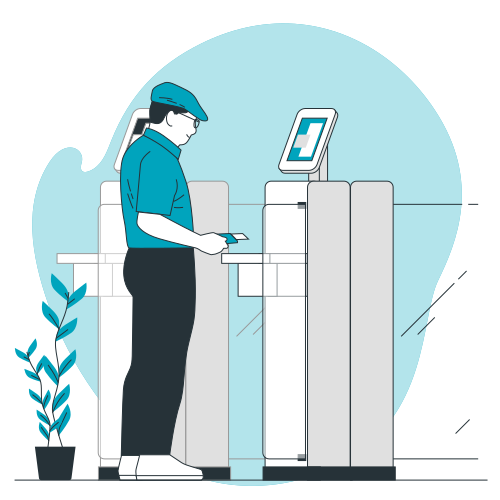
Connect QR check-in, badge printing, access control, and attendance reporting directly to registration data.
Fast attendee check-in
Scan attendee QR codes against current registration data
On-demand badge printing
Print current attendee information at the point of arrival
Session and zone access control
Check attendee permissions at controlled entry points
Connected attendance reporting
Use check-in and attendance data in post-event reports without a separate import
From a single entrance to multi-zone congresses with restricted sessions, eventIQ onsite tools handle the full range of in-person event operations without bolt-on hardware or third-party apps.
Staff scan the attendee's QR code — from their mobile app, confirmation email, or printed ticket — and the record is confirmed in under three seconds. Works by name search as a fallback when attendees arrive without their code.
Mehr erfahren →Set up tablets as self-check-in kiosks so attendees scan their own QR code, verify their details, and trigger badge printing without staff involvement. Frees your team to manage exceptions and VIP greetings rather than routine check-ins.
Mehr erfahren →Badges print at the moment of arrival — not weeks before. Fully branded with your event colours, logo, and attendee type indicators. Last-minute name changes, walk-ins, and reprints are handled in seconds with no pre-printed stock to manage.
Mehr erfahren →Scan badges at session entrances to track attendance per session in real time. Monitor capacity, enforce pre-registration requirements, and generate the session-level attendance reports that sponsors and accreditation bodies expect.
Mehr erfahren →Define access permissions by attendee type, ticket tier, or individual. Set up checkpoints at entrances, VIP lounges, restricted sessions, or exhibitor halls. The system instantly flags anyone whose badge does not match the access rule for that zone.
Mehr erfahren →Set automated alerts to notify a specific team member the moment a VIP, speaker, or key sponsor checks in. Ensure the right person is ready to greet them — without anyone monitoring a screen all day.
Mehr erfahren →Because eventIQ onsite tools run on the same data layer as registration, every step on event day is connected. No manual handoffs. No version conflicts. No surprises.
Badge templates, access rules, checkpoint locations, and kiosk configurations are set up in the platform in advance. Registration data is already there — no import, no sync, no last-minute file transfer.
Attendees scan their QR code at the entrance — via the mobile app, a printed confirmation, or at a self-service kiosk. Badge prints automatically. The check-in count updates on the organiser dashboard in real time.
Staff at session doors scan badges to confirm attendance and enforce access rules — only pre-registered attendees in restricted sessions, or open scanning for capacity tracking in open sessions. Each scan is timestamped and stored.
The organiser dashboard shows who has checked in, which sessions are filling up, how attendance is tracking against registration, and when VIPs arrive — updated live across all devices without a manual refresh.
Walk-in registrations are added in seconds at the check-in desk. Name changes, reprint requests, and access upgrades — for example, upgrading a general attendee to VIP on the day — are handled without disrupting the check-in flow.
Once the event closes, attendance data by session, attendee type, and checkpoint is immediately available in the analytics dashboard. No data cleaning, no file merging, no waiting for a report to be built.
The eventIQ check-in app caches attendee data locally on every device. If connectivity drops — which it does at most large venues during peak arrival — check-in keeps running. Scans taken offline sync back to the platform automatically the moment connection is restored, with no duplicates and no gaps.
Manage check-in for multiple client events from the same platform. Configure badge templates, access rules, and checkpoint maps per event without starting from scratch each time.
Generate attendance reports by department, seniority, or registration type directly from the check-in data — without manual exports or spreadsheet merging.
Most event teams run check-in from a tool that has no direct connection to their registration platform. That gap creates work before the event, risk on the day, and gaps in the data after.
A check-in app that lives outside your registration platform requires a data export before every event, a manual import into the check-in tool, and a re-export after the event to reconcile attendance against your registration records. Any change made in one system does not automatically reflect in the other.
Check-in reads directly from the registration record. Any change made in registration — a new attendee, a name correction, a VIP flag, a session change — is reflected at the check-in device without any manual action. Post-event attendance data is already in your analytics dashboard.
From single-entrance corporate events to multi-hall congresses with session access control, teams use eventIQ onsite tools across event types and scales.
We used to spend the morning before each congress manually printing badge sheets and organizing them alphabetically. With eventIQ, badges print as each person arrives. Walk-ins, name changes, reprints — all handled in seconds. The registration desk team was half the size it used to be.
Our corporate events have multiple session tracks with restricted access by seniority level. Setting up access checkpoints used to require a separate system entirely. In eventIQ it was a configuration inside the same platform we use for registration. The first event we used it, the check-in area was calm for the first time in years.
In a 30-minute demo we will walk through check-in, badge printing, access control, and session tracking — using your event type as the scenario — so you can see exactly what your team would see on event day.