%20--%3e%3cpath%20d='M59.1,199.2c1.4,12.4,17,19.5,35.9,19.5s25.9-1.8,37.8-5.5l6.6,35.7c-15.9,6.2-34.7,8.6-52.6,8.6-49.8,0-77.8-28.1-77.8-75.4s24.3-80.1,73.5-80.1,64.7,31.6,64.7,75.4-.9,17.9-1.8,21.8H59.1ZM99.2,163.4c0-10.5-3.6-26.3-19.2-26.3s-20.6,15.7-21.2,26.3h40.5Z'%20fill='%23231f20'/%3e%3cpath%20d='M203.7,105l13.8,62.4c2.8,12.8,4.8,25,6.7,38.1h.9c1.8-13.6,3.7-24.8,6.3-38.1l13-62.4h54.2l-50.2,149.7h-51.7l-49.8-149.7h56.8Z'%20fill='%23231f20'/%3e%3cpath%20d='M347,199.2c1.4,12.4,17,19.5,35.9,19.5s25.9-1.8,37.8-5.5l6.6,35.7c-15.9,6.2-34.7,8.6-52.6,8.6-49.8,0-77.8-28.1-77.8-75.4s24.3-80.1,73.5-80.1,64.7,31.6,64.7,75.4-.9,17.9-1.8,21.8h-86.2ZM387,163.4c0-10.5-3.6-26.3-19.2-26.3s-20.6,15.7-21.2,26.3h40.5Z'%20fill='%23231f20'/%3e%3cpath%20d='M451.4,155c0-18.7-.6-35.8-1.2-50h45.3l2.4,18.5h.9c6.3-9,20.3-21.6,42.6-21.6,33.9,0,50.2,24.4,50.2,62.8v90h-52.6v-84.8c0-15.1-5-25.2-17-25.2s-13.6,6.1-16.2,11.9c-1.2,2.7-1.8,7.3-1.8,11.9v86.3h-52.6v-99.7Z'%20fill='%23231f20'/%3e%3cpath%20d='M672.2,63.1v41.9h30.6v38h-30.6v48c0,17.4,5.1,23.7,16.7,23.7s9.1-.5,12.4-1.1v40.2c-6.2,2-17.7,3.7-31.1,3.7s-27.7-4.8-35.7-12.5c-9.1-8.9-14-22.8-14-46.2v-55.9h-18.1v-38h18.1v-30.3l51.6-11.6Z'%20fill='%23231f20'/%3e%3cpath%20d='M773.7,49.6v205.1h-52.6V49.6h52.6Z'%20fill='%23231f20'/%3e%3cpath%20d='M964.1,291.7c-26.4-8.6-48.4-18.3-74.1-30.2-4.7-2.3-9.5-3.4-13.5-3.8-44.5-2.4-82.8-38.1-82.8-104.6s33.3-106.6,93.1-106.6,89.2,53,89.2,102.5-17.4,77.6-39.6,89.2v1.4c13.4,4.8,28.7,8.4,43.5,12.3l-15.8,39.8ZM920.6,151.3c0-36.6-12.7-62.1-35.5-62.1s-36.2,25.8-36,62.5c-.3,38.6,13.4,63.3,36,63.3s35.5-24.7,35.5-63.8Z'%20fill='%23231f20'/%3e%3c/svg%3e)
 Türkçe
 English
Event check-in process: how to stop queues forming at the door
Plan event check-in as a capacity problem: estimate peak arrivals, size your lanes, fix registration data and choose a badge method before doors open.
Burcu Çetin
Contents
When a queue builds at registration, people blame the desk. Usually the queue was set weeks earlier. The agenda sent everyone to the door in the same half hour. Nobody cleaned the attendee list. The badge method didn't suit the event, and the number of lanes was a guess.
This guide treats the event check-in process as a capacity problem, from estimating the arrival peak to using the door's data in your report. It is written for agency producers, corporate event teams and congress organisers working in Turkey and across Europe.
Key takeaways
- A queue forms whenever people arrive faster than your lanes can process them. Plan for the busiest 15 to 30 minutes, not the day's total attendance.
- Measure service time from reaching the desk to walking away with a badge. Scan speed on its own flatters the numbers.
- Size lanes with spare capacity, and send walk-ins, corrections and reprints to a separate help desk.
- Many door problems start as data problems: duplicate records, missing QR codes, wrong names on badges. Fix them in the week before.
- Watch live check-in counts against your expected curve and open lanes early. Afterwards, put the real arrival curve in the report so next year's plan starts from data.
Why do check-in queues form?
A check-in queue forms when attendees arrive faster than your lanes can process them, even for a few minutes. The gap adds up. If 20 people reach the door each minute and your lanes clear 15, the line grows by five every minute until arrivals slow down.
Little's Law says the average number of people in a system equals the average arrival rate multiplied by the average time each person spends in it (L = λW). Turned around, it gives a quick estimate at the door: if 60 people are in line and your lanes clear 15 a minute, someone joining now will wait about four minutes. It describes averages in a fairly steady system (Wolfram MathWorld), so treat it as a rule of thumb.
A second idea matters more when you plan. Waiting time does not rise in a straight line as lanes get busier. Kingman's approximation links mean waiting time to ρ/(1−ρ), where ρ is how busy the server is. As lanes approach 100% busy, waits climb steeply, and uneven arrivals or service times make it worse. A door planned to run exactly at capacity has no room for the guest who can't find their confirmation email.
Three things usually push arrivals above capacity:
- The arrival peak. The agenda decides it. An opening keynote pulls most arrivals into the half hour before it, and shuttle buses arrive in waves. For larger crowds, the UK Health and Safety Executive suggests encouraging phased arrivals, for example by staggering start times or making early arrival worthwhile with good catering (HSE).
- Walk-ins and exceptions. Someone who needs to register, pay or correct their name takes far longer than a scan. If they stand in the main line, everyone behind them waits (fielddrive).
- Missing or messy data. No QR code to hand, duplicate records, a badge with the wrong company. PCMA names spelling mistakes on badges and missing information as the usual issues that slow arrival.
How many check-in lanes do you need?
Divide your peak arrivals per minute by the number of people one lane can process per minute. Round up, add slack, and keep exceptions out of the count. fielddrive's guide sets it out as two formulas: station capacity = 60 ÷ average service time in seconds, and stations needed = peak arrivals per minute ÷ station capacity. It bases the peak on the busiest 15- or 30-minute window (fielddrive).
- Find the peak window from the agenda, the transport plan and last edition's check-in data.
- Estimate the share of attendees arriving in it. Without past data this is a judgement call, so write it down and check it afterwards.
- Time a real check-in in a rehearsal with the final badge and the real printer, from reaching the desk to leaving with a badge.
- Do the arithmetic, then add slack.
Illustrative example: hypothetical inputs, not data. A congress has 1,200 confirmed delegates and an opening plenary at 09:30. Suppose you expect 45% of them between 09:00 and 09:30. That is 540 people in 30 minutes, or 18 a minute. Suppose the rehearsal shows 20 seconds per person from scan to badge in hand, so one lane handles 3 people a minute.
- Theoretical minimum: 18 ÷ 3 = 6 lanes.
- Six lanes running flat out leave no slack. If you plan to keep lanes about 80% busy (a planning choice, not an industry standard), you get 18 ÷ (3 × 0.8) = 7.5, so 8 lanes.
- With only 5 lanes (15 a minute), the line grows by about 3 people a minute. By 09:30 roughly 90 people are waiting, and by Little's Law the last arrivals wait about 90 ÷ 15 = 6 minutes while the plenary starts without them.
- Walk-ins and corrections go to a separate help desk and are not counted in these lanes.
Staff by lanes rather than by headcount. EventSync points out that adding a second person to the same lane changes little if the bottleneck is the check itself, and recommends one person who does not scan at all and takes the edge cases (EventSync).
Which check-in method fits your event?
Choose the method by how stable your attendee data is and how much will change on the day. The table summarises the trade-offs described by fielddrive, Swoogo and Skift Meetings.
| Method | Works well when | Watch out for |
|---|---|---|
| QR self check-in at kiosks | Most attendees are pre-registered and the kiosk journey is short | Needs clear signs and staff nearby; anyone unprepared stalls a kiosk |
| Staffed lanes (tablet or phone scanning, name search) | Smaller events, no printed badges, mixed audiences | Name search is slower than a scan; staff need a fallback routine |
| Pre-printed badges | Data is stable and late changes are rare | Searching badge trays, reprints for changed titles, badges printed for no-shows |
| On-demand badge printing | You expect walk-ins, late changes or several attendee types | The printer becomes the bottleneck unless template, stock and spares are tested |
| VIP, speaker and protocol lane | Named guests must not wait | Keep it small, staffed by someone who knows who is coming |
Two details are easy to miss. Skift Meetings recommends a single station for the badge and materials such as lanyards, so delegates are not sent from desk to desk. And ask your supplier which functions keep working without internet, one by one: lookup, check-in, printing, edits and walk-ins (fielddrive). EventSync suggests testing it with the device in flight mode before doors open (EventSync).
How do you fix attendee data before the day?
The cheapest place to cut queue time is the registration system, about a week before the event.
- Send the QR code early and again close to the day. At FABTECH, attendees received a code after registering and a reminder with the code a few days before the show, and badge pick-up details were included in every message. PCMA reported an average check-in time of 48 seconds for the roaming check-in used there (PCMA, 2018). Put the code in the message itself so people can find it without logging in.
- Clean the list. Merge duplicates, fill in missing companies and check attendee types. fielddrive lists cleaning and testing attendee data among the pre-event steps (fielddrive).
- Fix the badge fields. Ask for the name exactly as it should print. Skift Meetings also advises asking only for information you actually need (Skift Meetings).
- Set a cut-off if you pre-print. Changes after the cut-off go to on-demand printing at the help desk.
- Ask people to confirm or release their place. This matters most for free events, where some registrants never intend to come.
Where registration and check-in share one record, a name corrected on Tuesday is already on the door device on Thursday. That is how eventIQ's registration and RSVP tools feed onsite check-in. With separate tools, plan a final export time and check late changes by hand.
How should you lay out the door?
Design the door so that a standard arrival never meets an exception.
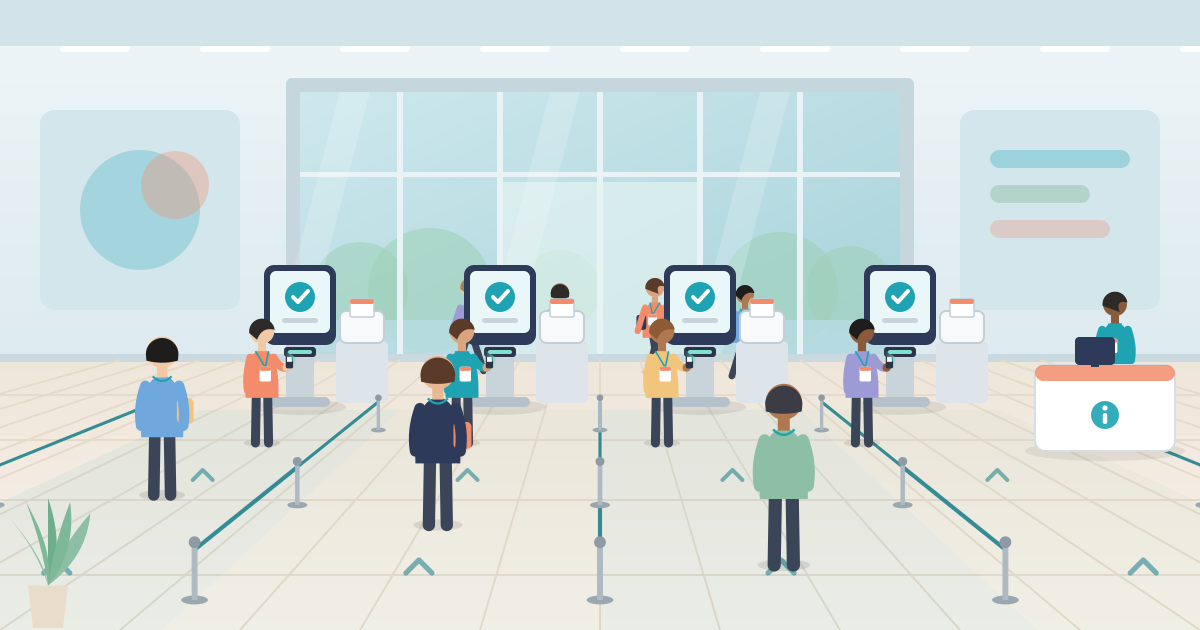
- Signs before the hall. Tell people to have their QR code ready before they reach the lanes. Greeters or floating staff in front of the queue can answer questions and point people to the right line (Skift Meetings).
- One queue feeding the next free lane. fielddrive notes that a single queue feeding several stations is often easier to manage than separate lines.
- A help desk off to the side. Missing registrations, name changes, payments and reprints go there, staffed by someone who can make decisions without calling a manager (Swoogo).
- Separate lines where they help. Pre-registered, walk-ins, VIPs and speakers can each have their own, clearly signed.
- Safety first. Queues should not block emergency routes or stairs, and people need a way out of a queue without pushing back against those behind them (HSE). Agree an overflow area with the venue.
- Spares on site. Printers, badge stock, cables, power and charged devices.
What should you monitor on the day?
From the moment doors open, someone should watch check-ins against the expected arrival curve and have the authority to open lanes.
- Live check-in count against plan. If you are behind plan 45 minutes before the keynote, open the spare lanes now. fielddrive advises opening extra stations before queues become difficult to recover.
- Exception rate. fielddrive notes that a rising rate of exceptions often points to a data, communication or sync problem rather than too few stations.
- VIP arrivals. Alert the host so nobody important stands in line.
- No-shows. At a set time after the peak, compare check-ins with registrations. Use the gap to adjust catering numbers, release session seats or waitlist places, and plan a separate follow-up for people who didn't come.
How do you use check-in data in the post-event report?
The door records the most honest arrival data you will get, so put it in the report and use it to plan the next edition. Swoogo suggests looking at actual arrival windows, peaks in 15-minute blocks, average processing time, walk-in volume, help desk load and differences between attendee groups (Swoogo).
Add two of your own. Compare the share of attendees you expected in the peak with the share that actually came, so the assumption in next year's sum is based on a real figure. Then compare show-up rates by attendee type to see who registers but doesn't come.
If check-in and registration share one record, no spreadsheet merging is needed. eventIQ's data and insights view shows check-in pace and attendance against the same registration data. Check-in logs are personal data, so keep what the report needs and agree retention with the client under the GDPR or Turkey's KVKK.
Start with one number
Before you book desks or print signs, write down one estimate: the share of attendees you expect in the busiest half hour. Lanes, staffing, badge method and the help desk all follow from it. After the event, check it against what the door recorded.
To see registration, onsite check-in and reporting working from one record, have a look at eventIQ's Experience Engine and book a walkthrough using your own event as the scenario.
FAQ
How do you reduce check-in queues at events?
Plan for the busiest 15 to 30 minutes of arrivals and size lanes from measured end-to-end service time, with spare capacity. Send walk-ins and corrections to a separate help desk. Before the day, clean registration data and send reminders that include the QR code.
How many check-in staff do I need per attendee?
There is no reliable fixed ratio. Work out lanes instead: peak arrivals per minute divided by what one lane processes per minute, rounded up, plus slack. Add one person who handles exceptions instead of scanning.
Should I use pre-printed or on-demand badges?
Pre-printed badges suit stable data with few late changes. On-demand printing suits events with walk-ins, title changes and several attendee types, as long as the printers, template and badge stock are tested in advance.
What happens to check-in if the venue Wi-Fi fails?
It depends on the system. Ask which functions work offline, one by one, and test before doors open: scan a test guest in flight mode, then confirm the record syncs once you reconnect.