%20--%3e%3cpath%20d='M59.1,199.2c1.4,12.4,17,19.5,35.9,19.5s25.9-1.8,37.8-5.5l6.6,35.7c-15.9,6.2-34.7,8.6-52.6,8.6-49.8,0-77.8-28.1-77.8-75.4s24.3-80.1,73.5-80.1,64.7,31.6,64.7,75.4-.9,17.9-1.8,21.8H59.1ZM99.2,163.4c0-10.5-3.6-26.3-19.2-26.3s-20.6,15.7-21.2,26.3h40.5Z'%20fill='%23231f20'/%3e%3cpath%20d='M203.7,105l13.8,62.4c2.8,12.8,4.8,25,6.7,38.1h.9c1.8-13.6,3.7-24.8,6.3-38.1l13-62.4h54.2l-50.2,149.7h-51.7l-49.8-149.7h56.8Z'%20fill='%23231f20'/%3e%3cpath%20d='M347,199.2c1.4,12.4,17,19.5,35.9,19.5s25.9-1.8,37.8-5.5l6.6,35.7c-15.9,6.2-34.7,8.6-52.6,8.6-49.8,0-77.8-28.1-77.8-75.4s24.3-80.1,73.5-80.1,64.7,31.6,64.7,75.4-.9,17.9-1.8,21.8h-86.2ZM387,163.4c0-10.5-3.6-26.3-19.2-26.3s-20.6,15.7-21.2,26.3h40.5Z'%20fill='%23231f20'/%3e%3cpath%20d='M451.4,155c0-18.7-.6-35.8-1.2-50h45.3l2.4,18.5h.9c6.3-9,20.3-21.6,42.6-21.6,33.9,0,50.2,24.4,50.2,62.8v90h-52.6v-84.8c0-15.1-5-25.2-17-25.2s-13.6,6.1-16.2,11.9c-1.2,2.7-1.8,7.3-1.8,11.9v86.3h-52.6v-99.7Z'%20fill='%23231f20'/%3e%3cpath%20d='M672.2,63.1v41.9h30.6v38h-30.6v48c0,17.4,5.1,23.7,16.7,23.7s9.1-.5,12.4-1.1v40.2c-6.2,2-17.7,3.7-31.1,3.7s-27.7-4.8-35.7-12.5c-9.1-8.9-14-22.8-14-46.2v-55.9h-18.1v-38h18.1v-30.3l51.6-11.6Z'%20fill='%23231f20'/%3e%3cpath%20d='M773.7,49.6v205.1h-52.6V49.6h52.6Z'%20fill='%23231f20'/%3e%3cpath%20d='M964.1,291.7c-26.4-8.6-48.4-18.3-74.1-30.2-4.7-2.3-9.5-3.4-13.5-3.8-44.5-2.4-82.8-38.1-82.8-104.6s33.3-106.6,93.1-106.6,89.2,53,89.2,102.5-17.4,77.6-39.6,89.2v1.4c13.4,4.8,28.7,8.4,43.5,12.3l-15.8,39.8ZM920.6,151.3c0-36.6-12.7-62.1-35.5-62.1s-36.2,25.8-36,62.5c-.3,38.6,13.4,63.3,36,63.3s35.5-24.7,35.5-63.8Z'%20fill='%23231f20'/%3e%3c/svg%3e)
 Türkçe
 English
Solutions / Congresses
Built for congresses with real science behind them
Abstracts that become sessions. Halls that run in parallel. Member and non-member paths. Faculty travel and industry packages next to the program — not in a separate spreadsheet.
The work behind the badge
A congress is not a conference with a longer name
Committees score abstracts. Tracks fill halls. Pricing splits by category. Speakers need rooms and flights. Sponsors buy time next to the science. If those pieces live in five tools, the floor shows it.
Congress workflow
From the call for abstracts to faculty on the sessions
The scientific program, the halls, the registration categories, and the speakers stay on the congress the floor uses.
From call for abstracts to the session that runs on Thursday
Shape the call, collect submissions, run review, and place accepted work into tracks and halls — so the agenda the committee approved is the one the app and the badge printer use.
Parallel halls without three conflicting room plans
Tracks, chairs, and room capacity sit on one schedule. When a session moves, registration choices, the app agenda, and onsite access follow — you do not re-copy Hall C by hand.
Member, non-member, student, faculty, sponsor — each path its own
Congress pricing is rarely one ticket. Build categories, entitlements, and session picks that match how associations actually sell the meeting — then check-in reads that same record.
Speakers attached to the sessions they will actually deliver
Bios, conflicts, travel notes, and session assignments stay with the person — not in a side spreadsheet the program chair cannot see.
App and floor
The agenda the committee approved is the one the floor uses
When a session moves, registration choices, the app agenda, and onsite access follow. Badges and the closing view read that same congress.
In the app
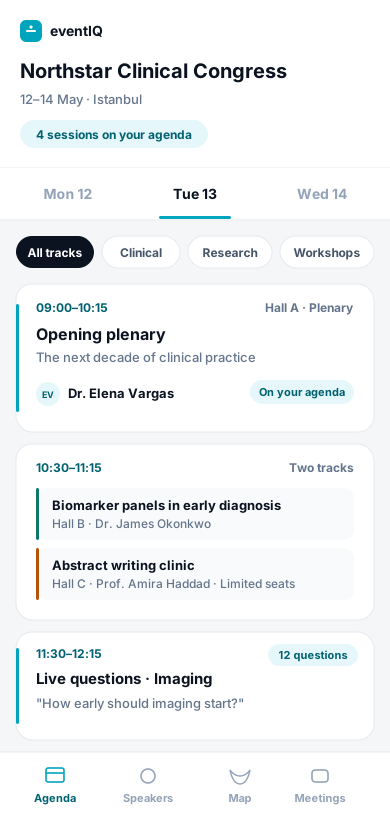
Tracks, sessions, and the speakers on them
Accepted work sits in tracks and halls. Speaker profiles stay on the sessions they will actually deliver, including before people arrive.
On the floor
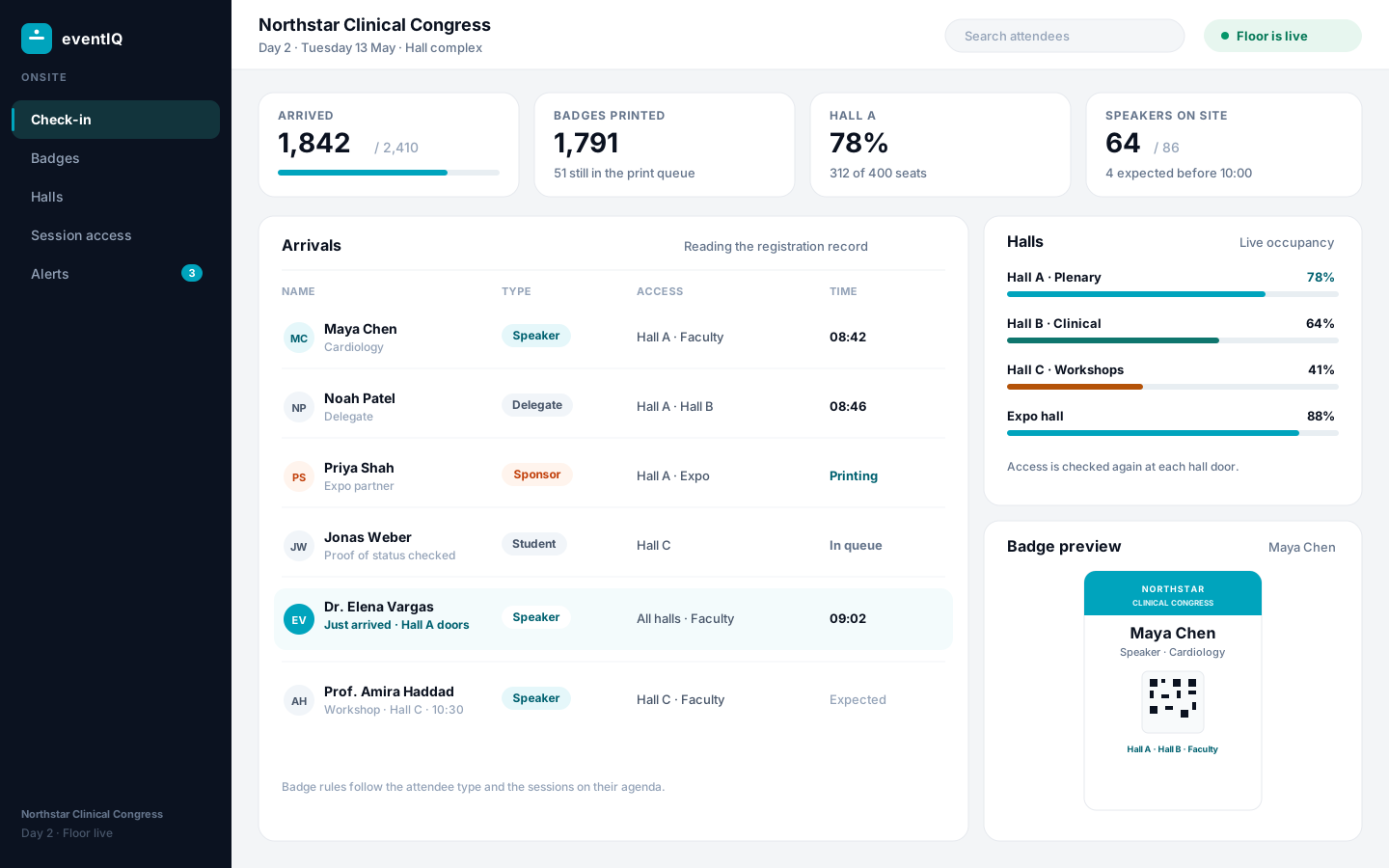
Categories, badges, and sponsor delivery from that record
Member and non-member paths, faculty notes, and industry packages sit next to the program. Check-in does not need a second list.
On the congress record
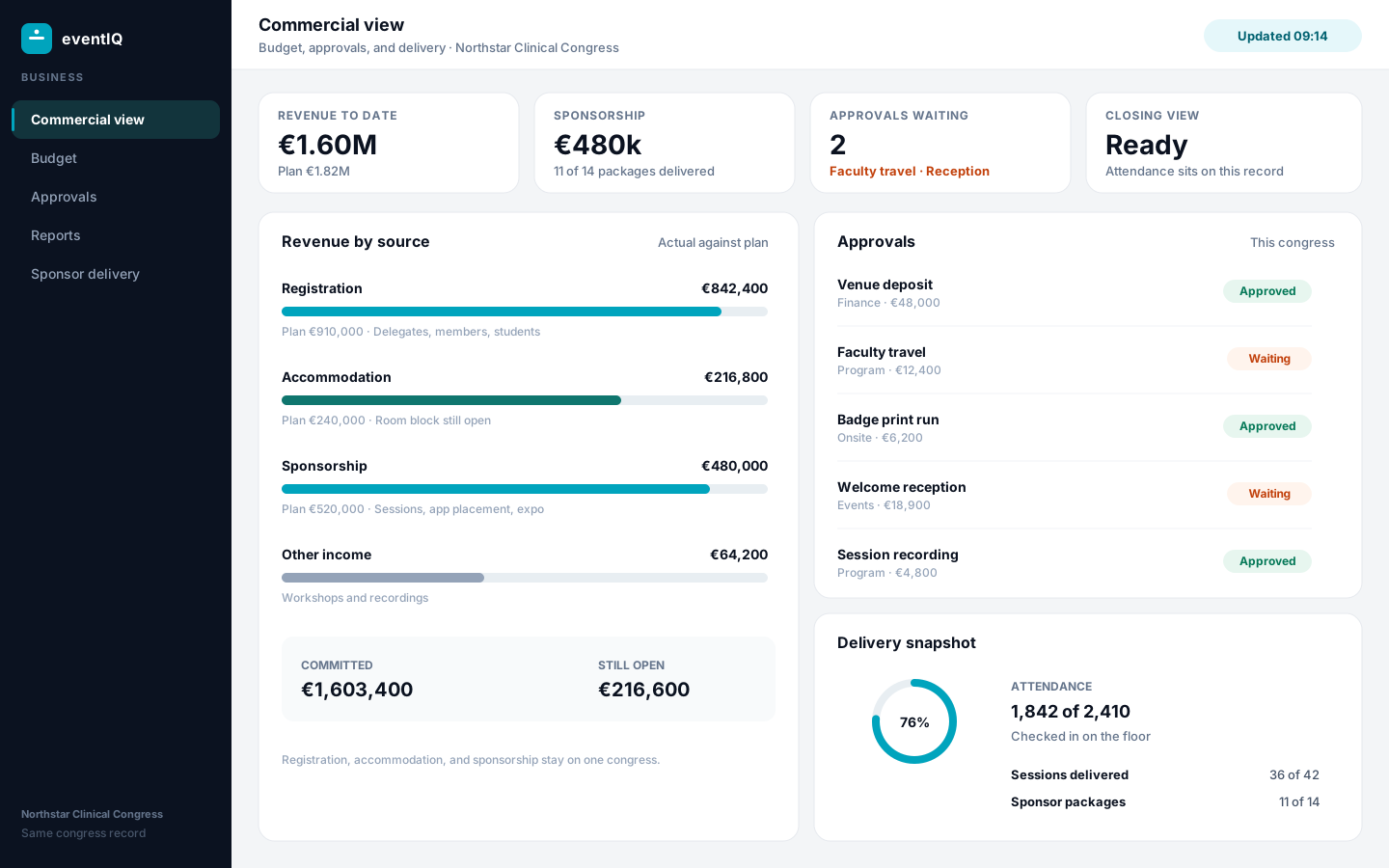
Scientific program, halls, registration, faculty, and sponsors
Each piece belongs to the congress. None of them needs a separate spreadsheet.
From call for abstracts to the session that runs on Thursday
Shape the call, collect submissions, run review, and place accepted work into tracks and halls — so the agenda the committee approved is the one the app and the badge printer use.
- Call for abstracts and submission types
- Review and decision tracking
- Accepted work → sessions and speakers
Parallel halls without three conflicting room plans
Tracks, chairs, and room capacity sit on one schedule. When a session moves, registration choices, the app agenda, and onsite access follow — you do not re-copy Hall C by hand.
- Multi-track agenda
- Room and capacity rules
- Same plan for app and check-in
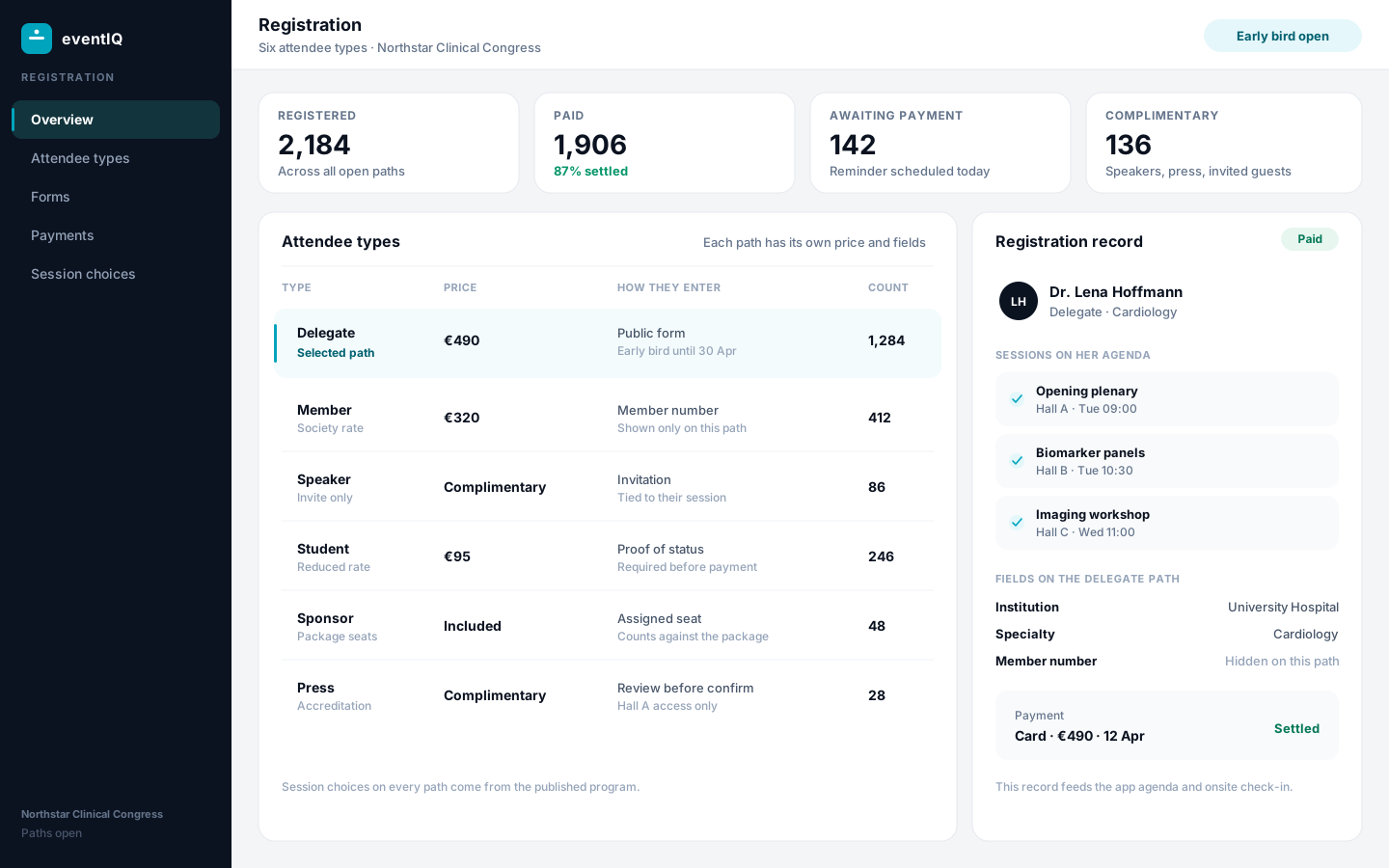
Member, non-member, student, faculty, sponsor — each path its own
Congress pricing is rarely one ticket. Build categories, entitlements, and session picks that match how associations actually sell the meeting — then check-in reads that same record.
- Category pricing and forms
- Session selection by entitlement
- Badges from the registration record
Speakers attached to the sessions they will actually deliver
Bios, conflicts, travel notes, and session assignments stay with the person — not in a side spreadsheet the program chair cannot see.
- Speaker profiles on the agenda
- Assignment to sessions
- Ops notes for the floor team
Sponsors next to the science — without double-booking the same slot
Speaking rights, booths, app placement, and guest passes are inventory next to the program. Promise once, deliver against the same list when the partnership is reviewed.
- Packages tied to sessions and placement
- Delivery you can show after the event
Spreadsheets or the record
Five tools, or one congress record
Committees, halls, categories, faculty, and sponsors can each live somewhere else. If they do, the floor shows it.
Spreadsheets, a registration tool, and email
Abstracts and speakers sit in a spreadsheet. Registration lives in another product. Faculty travel and sponsor packages move through email.
- A session move means re-copying Hall C into the app, the badges, and the room plan
- Faculty notes sit in a side spreadsheet the program chair cannot see
- The closing view is assembled from exports after the congress
One congress record
The call, the halls, the categories, the faculty, and the sponsor inventory stay on the congress. Check-in and the closing view read that record.
- Accepted work becomes the sessions the app and the badge printer use
- Member, non-member, student, faculty, and sponsor paths keep their own price and form
- Sponsors are promised once and delivered against the same list
Plan the next congress on one record
Walk through how your scientific program, registration categories, and sponsor inventory would sit in eventIQ.