%20--%3e%3cpath%20d='M59.1,199.2c1.4,12.4,17,19.5,35.9,19.5s25.9-1.8,37.8-5.5l6.6,35.7c-15.9,6.2-34.7,8.6-52.6,8.6-49.8,0-77.8-28.1-77.8-75.4s24.3-80.1,73.5-80.1,64.7,31.6,64.7,75.4-.9,17.9-1.8,21.8H59.1ZM99.2,163.4c0-10.5-3.6-26.3-19.2-26.3s-20.6,15.7-21.2,26.3h40.5Z'%20fill='%23231f20'/%3e%3cpath%20d='M203.7,105l13.8,62.4c2.8,12.8,4.8,25,6.7,38.1h.9c1.8-13.6,3.7-24.8,6.3-38.1l13-62.4h54.2l-50.2,149.7h-51.7l-49.8-149.7h56.8Z'%20fill='%23231f20'/%3e%3cpath%20d='M347,199.2c1.4,12.4,17,19.5,35.9,19.5s25.9-1.8,37.8-5.5l6.6,35.7c-15.9,6.2-34.7,8.6-52.6,8.6-49.8,0-77.8-28.1-77.8-75.4s24.3-80.1,73.5-80.1,64.7,31.6,64.7,75.4-.9,17.9-1.8,21.8h-86.2ZM387,163.4c0-10.5-3.6-26.3-19.2-26.3s-20.6,15.7-21.2,26.3h40.5Z'%20fill='%23231f20'/%3e%3cpath%20d='M451.4,155c0-18.7-.6-35.8-1.2-50h45.3l2.4,18.5h.9c6.3-9,20.3-21.6,42.6-21.6,33.9,0,50.2,24.4,50.2,62.8v90h-52.6v-84.8c0-15.1-5-25.2-17-25.2s-13.6,6.1-16.2,11.9c-1.2,2.7-1.8,7.3-1.8,11.9v86.3h-52.6v-99.7Z'%20fill='%23231f20'/%3e%3cpath%20d='M672.2,63.1v41.9h30.6v38h-30.6v48c0,17.4,5.1,23.7,16.7,23.7s9.1-.5,12.4-1.1v40.2c-6.2,2-17.7,3.7-31.1,3.7s-27.7-4.8-35.7-12.5c-9.1-8.9-14-22.8-14-46.2v-55.9h-18.1v-38h18.1v-30.3l51.6-11.6Z'%20fill='%23231f20'/%3e%3cpath%20d='M773.7,49.6v205.1h-52.6V49.6h52.6Z'%20fill='%23231f20'/%3e%3cpath%20d='M964.1,291.7c-26.4-8.6-48.4-18.3-74.1-30.2-4.7-2.3-9.5-3.4-13.5-3.8-44.5-2.4-82.8-38.1-82.8-104.6s33.3-106.6,93.1-106.6,89.2,53,89.2,102.5-17.4,77.6-39.6,89.2v1.4c13.4,4.8,28.7,8.4,43.5,12.3l-15.8,39.8ZM920.6,151.3c0-36.6-12.7-62.1-35.5-62.1s-36.2,25.8-36,62.5c-.3,38.6,13.4,63.3,36,63.3s35.5-24.7,35.5-63.8Z'%20fill='%23231f20'/%3e%3c/svg%3e)
 Türkçe
 English
01
Example loading amountTRY 500
Prepare the balance
Agree where and how attendees can load funds. Make the available methods and loading points clear before they arrive.
EXPERIENCE ENGINE / EVENT SHOPPING
From food and drinks to merchandise, make shopping part of the event experience. Give attendees a clear view of their balance and your team a purchasing flow they can follow.
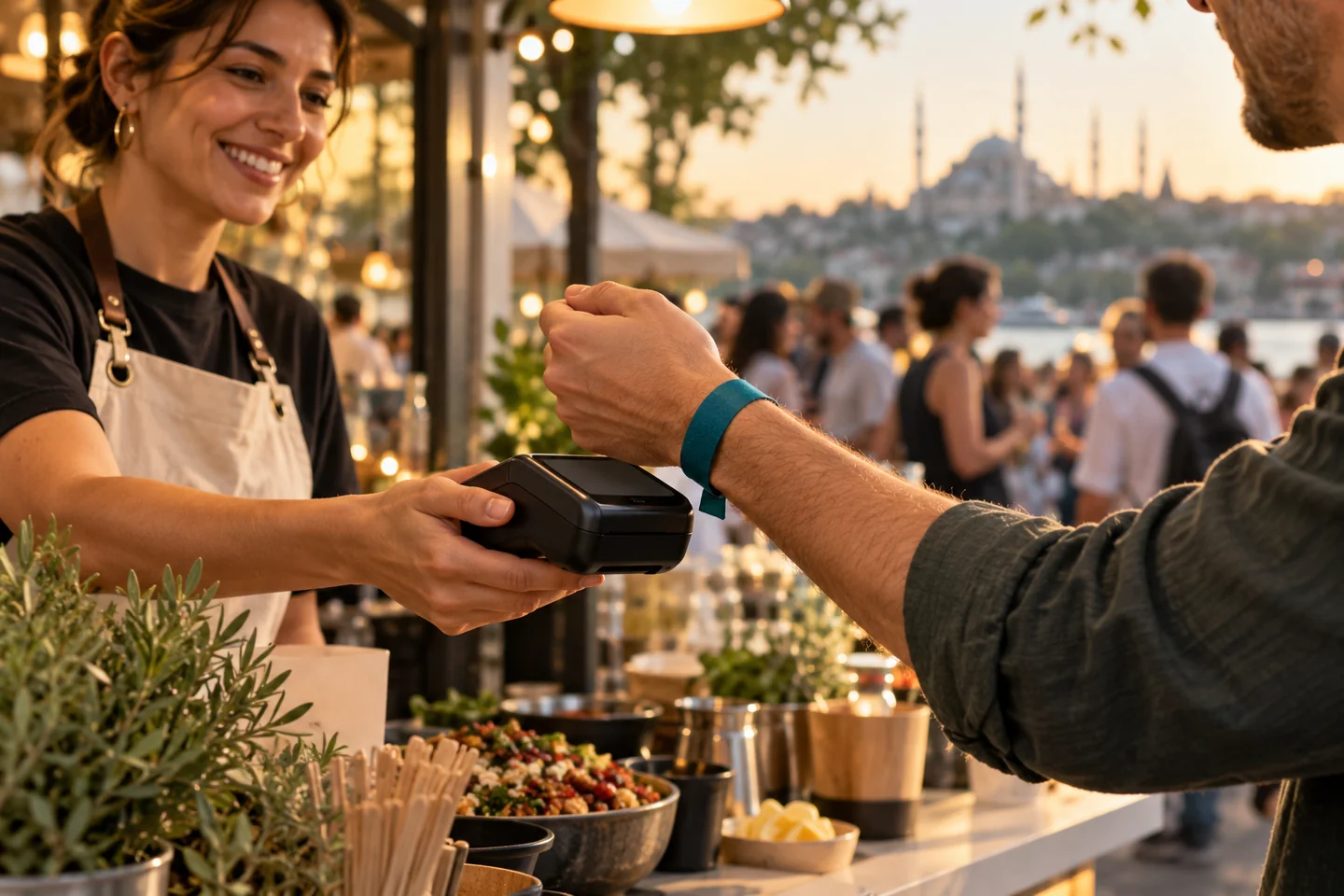 In the venue. Part of the experience.
Available balance
TRY 420
FROM LOADING TO RECONCILIATION
Attendees see their balance. Vendors see their orders. Organisers see the records. Explore what each step means through the same example.
Try the example: choose a loading amount to see the balance change.
Agree where and how attendees can load funds. Make the available methods and loading points clear before they arrive.
The vendor checks the products and amount with the attendee. The transaction follows the device and payment setup agreed for your event.
Follow loading, purchases, and remaining balances separately. Handle cancellations and refunds under the published event rules.
This interactive example does not load funds or make a payment. Methods, device compatibility, and refunds depend on the selected provider and event configuration.
ONE JOURNEY, THREE PERSPECTIVES
Connect the attendee experience, the sales point, and the operations team. Switch perspectives to explore the example.
Where can I load funds? How do I make a purchase? Who handles balance questions? Bring these answers into a journey attendees can easily follow.
Available balance
TRY 420Remaining balances are subject to the event’s published refund conditions and request process.
BUILT AROUND YOUR EVENT
A concert, trade show, campus event, or corporate gathering. Plan the purchasing setup around your venue, audience, and vendor structure.
Talk through your eventOnline and onsite loading, wristbands or cards, terminals, connectivity, and support points. Confirm compatible options with the provider and test before opening.
Define discounts and complimentary entitlements for guests, staff, and partners. Agree eligible products, validity periods, and usage limits before sales begin.
Publish remaining-balance conditions, request windows, and support channels before attendees load funds. Use distinct records for vendor reconciliation and refund tracking.
No. The shopping journey can be planned for concerts, fairs, sports events, campus events, and corporate gatherings with multiple sales points. Venue layout and expected demand determine the setup.
Available loading and payment methods depend on the agreed provider, equipment, and integration. Confirm online, cash, bank card, mobile, and wristband requirements during planning.
The organizer defines and communicates eligibility, timing, and the request route for the agreed payment setup. Automatic refunds should only be promised when the selected provider and event configuration support them.
Review venue coverage, terminal requirements, and the support procedure before the event. Offline operation and balance recovery depend on the selected equipment, account linkage, and provider; confirm them during setup.
Get started
Share your venue, expected attendance, vendor structure, and payment requirements. Walk through the attendee journey and the reporting your team needs.