%20--%3e%3cpath%20d='M59.1,199.2c1.4,12.4,17,19.5,35.9,19.5s25.9-1.8,37.8-5.5l6.6,35.7c-15.9,6.2-34.7,8.6-52.6,8.6-49.8,0-77.8-28.1-77.8-75.4s24.3-80.1,73.5-80.1,64.7,31.6,64.7,75.4-.9,17.9-1.8,21.8H59.1ZM99.2,163.4c0-10.5-3.6-26.3-19.2-26.3s-20.6,15.7-21.2,26.3h40.5Z'%20fill='%23231f20'/%3e%3cpath%20d='M203.7,105l13.8,62.4c2.8,12.8,4.8,25,6.7,38.1h.9c1.8-13.6,3.7-24.8,6.3-38.1l13-62.4h54.2l-50.2,149.7h-51.7l-49.8-149.7h56.8Z'%20fill='%23231f20'/%3e%3cpath%20d='M347,199.2c1.4,12.4,17,19.5,35.9,19.5s25.9-1.8,37.8-5.5l6.6,35.7c-15.9,6.2-34.7,8.6-52.6,8.6-49.8,0-77.8-28.1-77.8-75.4s24.3-80.1,73.5-80.1,64.7,31.6,64.7,75.4-.9,17.9-1.8,21.8h-86.2ZM387,163.4c0-10.5-3.6-26.3-19.2-26.3s-20.6,15.7-21.2,26.3h40.5Z'%20fill='%23231f20'/%3e%3cpath%20d='M451.4,155c0-18.7-.6-35.8-1.2-50h45.3l2.4,18.5h.9c6.3-9,20.3-21.6,42.6-21.6,33.9,0,50.2,24.4,50.2,62.8v90h-52.6v-84.8c0-15.1-5-25.2-17-25.2s-13.6,6.1-16.2,11.9c-1.2,2.7-1.8,7.3-1.8,11.9v86.3h-52.6v-99.7Z'%20fill='%23231f20'/%3e%3cpath%20d='M672.2,63.1v41.9h30.6v38h-30.6v48c0,17.4,5.1,23.7,16.7,23.7s9.1-.5,12.4-1.1v40.2c-6.2,2-17.7,3.7-31.1,3.7s-27.7-4.8-35.7-12.5c-9.1-8.9-14-22.8-14-46.2v-55.9h-18.1v-38h18.1v-30.3l51.6-11.6Z'%20fill='%23231f20'/%3e%3cpath%20d='M773.7,49.6v205.1h-52.6V49.6h52.6Z'%20fill='%23231f20'/%3e%3cpath%20d='M964.1,291.7c-26.4-8.6-48.4-18.3-74.1-30.2-4.7-2.3-9.5-3.4-13.5-3.8-44.5-2.4-82.8-38.1-82.8-104.6s33.3-106.6,93.1-106.6,89.2,53,89.2,102.5-17.4,77.6-39.6,89.2v1.4c13.4,4.8,28.7,8.4,43.5,12.3l-15.8,39.8ZM920.6,151.3c0-36.6-12.7-62.1-35.5-62.1s-36.2,25.8-36,62.5c-.3,38.6,13.4,63.3,36,63.3s35.5-24.7,35.5-63.8Z'%20fill='%23231f20'/%3e%3c/svg%3e)
 Türkçe
 English
For organisers and agencies running in-person events
In-person events, from the registration desk to the closing report
Check attendees in against the registration record, print badges before the event or on arrival, and scan session doors. Sponsors, the event app, and the budget sit on the same event, so the desk, the room hosts, and finance work from one attendee list.
- QR check-in and badges
- Session and zone access
- Sponsors and the event budget
For your team
Who does what on the day, from one attendee list
An in-person event has several teams working the same crowd at the same time. In eventIQ they all read the event record that registration created, so nobody works from an exported list.
How it unfolds
Before doors open, on the day, and after
Set the rules once on the event, run the day from the same record, and close with attendance and costs that already match.

01 / Before doors open
Set badges, access rules, and confirmations
Prepare badge templates, access rules, checkpoint locations, and self-service kiosk tablets in advance. Registration data is already on the event, so there is no list to import. Each attendee gets a confirmation email with their QR code, and the same code is in the event app.
Registration and confirmations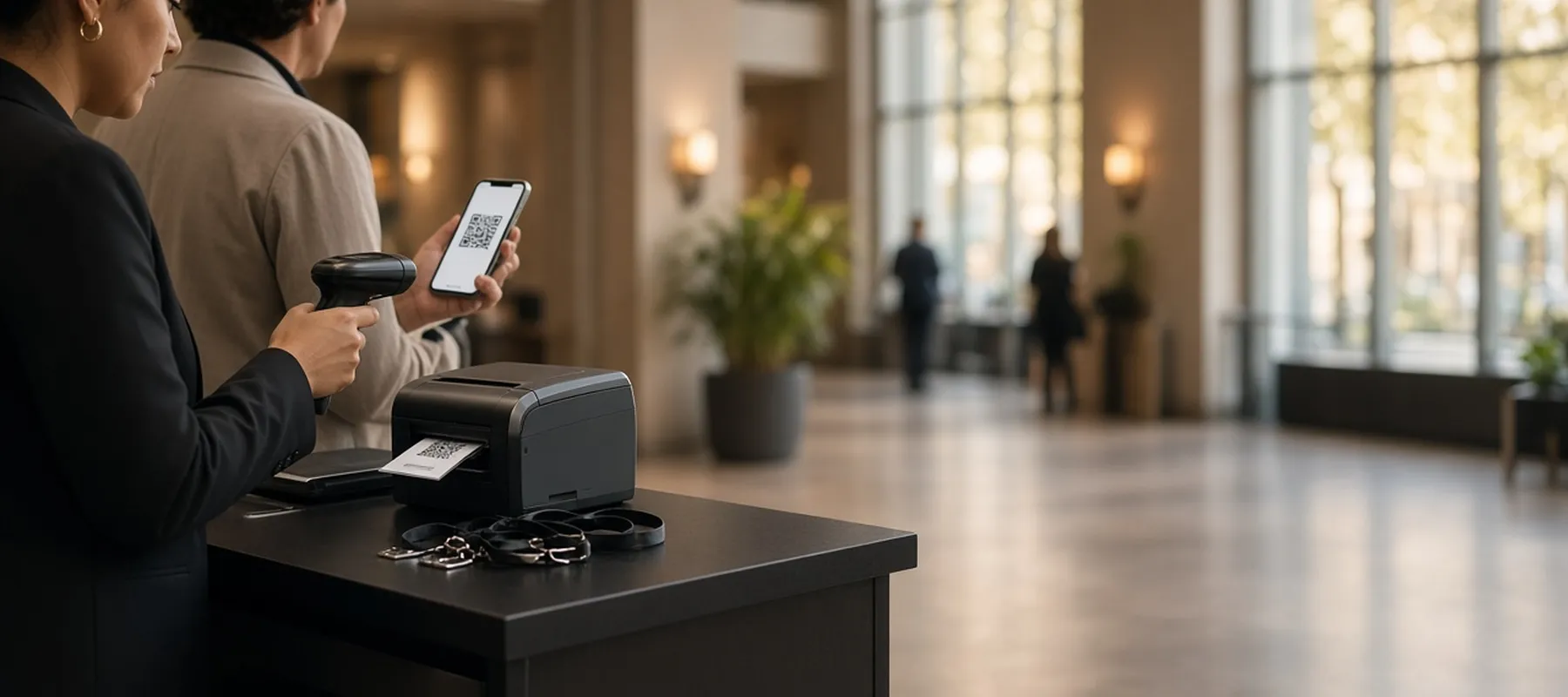
02 / On the day
Check people in and follow the rooms
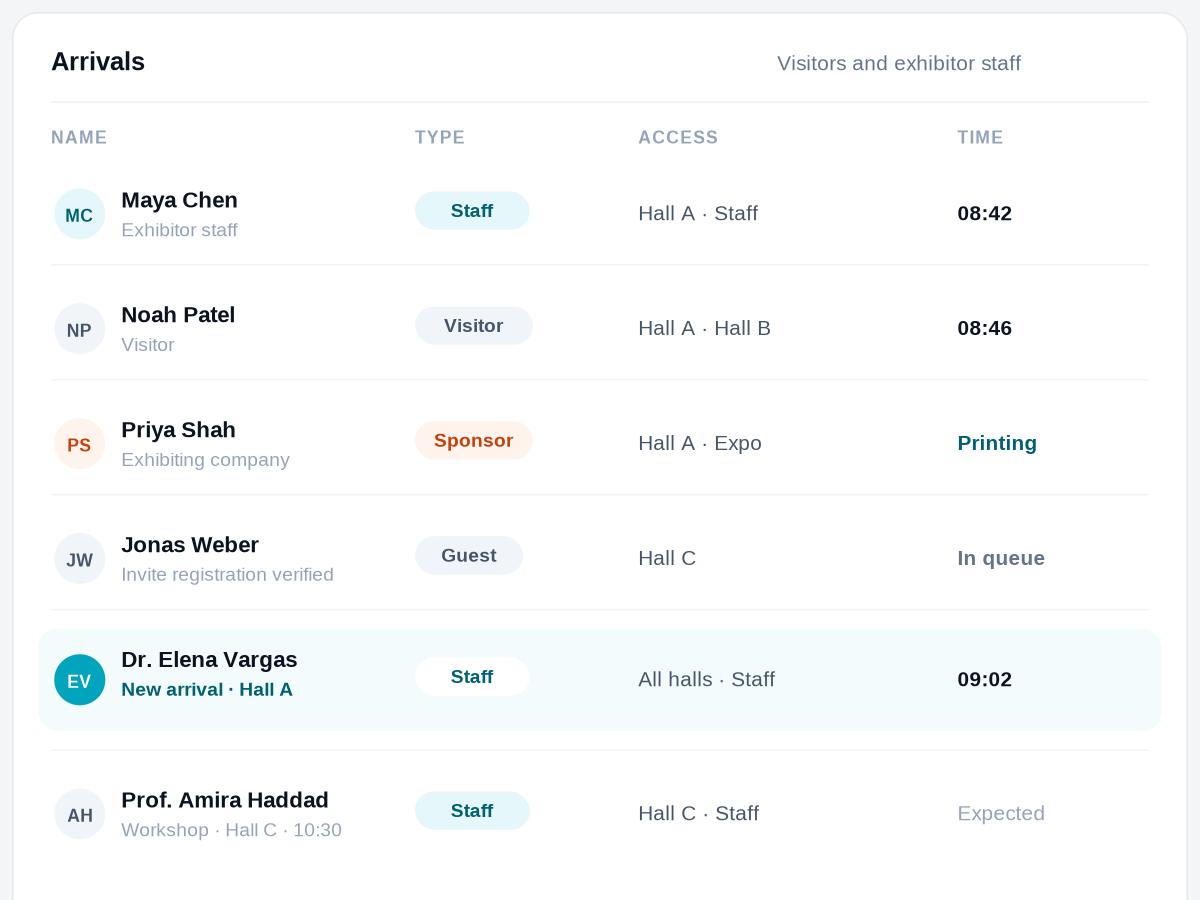
Attendees scan at the entrance or at a kiosk. Badges can be printed before the event or on arrival. Session doors scan badges, VIP and speaker arrivals alert the person who will greet them, and the organiser dashboard shows check-ins and room fill as they happen. If the venue Wi-Fi drops, check-in keeps running on the devices.
Event day check-in
03 / After
Close with attendance and costs on one event
Attendance by session, attendee type, and checkpoint is in Experience Engine without a separate import. Sponsors see the lead activity from the floor, and finance closes supplier invoices, collections and expected payments in Business Engine.
Data and insights
Explore by need
Tools for the venue, the rooms, and the budget
Keep arrivals, sessions, sponsors, and money on the same in-person event. Supplier costs for the venue sit in the event budget in Business Engine next to everything else.
Your questions
Common questions when planning an in-person event
What happens if the venue Wi-Fi drops during check-in?
The check-in app keeps attendee data on each device, so the desk can keep scanning while the connection is down. Scans taken offline sync back to the event when the connection returns. Run a test at the venue before doors open so your team knows how the devices behave there.
Can we register walk-ins and change names at the door?
Yes. Walk-ins can be added at the check-in desk, and name changes and badge reprints are handled there too. Check-in reads the registration record, so a correction made in registration before the day also shows on the door devices.
Can we control access to halls, VIP areas, and restricted sessions?
Yes. You set access by attendee type, ticket tier, or individual, then place checkpoints at entrances, VIP lounges, restricted sessions, or exhibitor halls. A scan flags any badge that does not match the rule for that zone. Access can also be changed on the day, for example when a guest is moved to VIP.
What do attendees need to check in?
Their QR code. It arrives in the confirmation email, sits in the event app, and can also be printed. If someone arrives without it, the desk finds them by name. The app is not required to get in, but it holds the agenda, the venue map, and event updates.
Should we use the in-person or the hybrid setup?
Use the in-person setup when everyone attends at the venue. If part of the audience follows sessions online, see the Hybrid events page: the same event adds online registration, streaming, and Q&A and polls for both audiences.
What attendance data do we get after the event?
Check-in and session scans are already on the event, so attendance by session, attendee type, and checkpoint is available in Experience Engine without a separate import. Supplier costs, collections and expected payments stay in the event budget in Business Engine.
Get started
See how eventIQ fits the way your team works
Walk through your current event workflow with us and see where planning, attendee experience, finance, approvals, and reporting can work better together.